Show Posts

This section allows you to view all posts made by this member. Note that you can only see posts made in areas you currently have access to.


Messages - Deleter

Pages: [1] 2
1
General chat / Re: what would you do with 10x20?
« on: August 25, 2010 »
Ok, lets say you have a 10x20 foot LED display board with the same resolution of pixels.

Perhaps I'm reading this wrong - are the LED's a foot across?

Well, each "pixel" is a foot across, and will be driven by a number of super bright LEDs.

2
General chat / Re: what would you do with 10x20?
« on: August 23, 2010 »
@vai!n: yea I've thought of pong or breakout would probably 'work' at this res. Maybe even a single pixel per ship version of space invaders.

@Jim: Scroll-texts would probably be pretty cool, and at a campus I'm sure we would have plenty of things to scroll. Its a full RGB LED package with all 3 colors, so any color should be possible.

@hellfire, thats a good idea, I'll have to fiddle with that. :)

So far I've hacked up a waterfall effect with scrolling blue pixels and white particles bouncing at the bottom, some gradient color rotations, and I reconfigured that game of life fade demo thing I submitted way back when for some compo on here. They all look pretty cool even at that res, I'm hoping I'll be able to see them irl. ;)

Keep the ideas coming. :)

3
General chat / what would you do with 10x20?
« on: August 22, 2010 »
Ok, lets say you have a 10x20 foot LED display board with the same resolution of pixels. It should be able to do full 32bit rgb, at a reasonable fps. It will be driven by a windows computer, so you don't have code constraints that way. I know this forum has had low res competitions, but I'm not sure any are quite that low. I know I've seen some things that would probably still be pretty neat looking at this low of a resolution, plasma for instance, but the more ideas the merrier. Also due to the nature of LEDs, it would be best to stay away from pure reds (0xff0000) for brightness, but otherwise no real constraints. If you want to suggest new ideas, or link me to old demos / effects that would take advantage of this medium that would be much appreciated, thanks!

[FYI, my school is considering building one which could be used to play tetris, but for legal reasons it would have to do other things most of the time. Naturally I thought of graphics demos, and subsequently thought of this forum. I will keep you guys informed if this becomes a reality]

4
General chat / Re: Who's up for a new challenge?
« on: June 01, 2009 »
9? If the compo is one I think I can prepare a decent entry for. Some of the themes just haven't hit me in the creative nerve.

5
Challenges & Competitions / Re: [REDUCED RES] Life
« on: August 11, 2008 »
It seems that the cells never compleatly went into a final pattern.

Yeah, thats due to the random killing thing, every so often the population will rapidly decrease and then grow back. It is based on a sin wave, so its not the most natural looking thing, but its was an interesting experiment nonetheless.

Thanks for the positive feedback, always good to see my work appreciated :)

6
Challenges & Competitions / [REDUCED RES] Life
« on: August 10, 2008 »
Well I originally intended to do scrolling text and music, but ran out of steam, and I've never done anything with text and couldn't find any simple tutorials or anything on this site. This is basically a version of conway's life with a couple of interesting properties:

-fade out of cells when they "die" for more graphical effect
-random killing based on a sin wave using the system timer as input
-"just dead" cells add fractional cell counts, thus a sudden extinction will elicit new cells


7
GFX & sound / Re: procedural music?
« on: June 27, 2008 »
Well I read that the music in Spore is procedural, so there's your answer on possibility. Practically who knows how hard it'd be. It's something I've thought about before, but I haven't really come up with more ideas than what you've already said.

8
works  :clap:

9
No the shaders fail to compile and it looks like the attached jpg. It does say "shader compiled" and then right after it says "shader compile error: ERROR: 0:1: 'uniform' : cannot initialize this type of qualifier" "ERROR: 1 compilation errors. No code generated"

10
What's the actual problem here is still a bit out of my understanding.
I've tested both versions on Radeon 9600 (Shader 2.0) & Geforce 7600 (Shader 3.0) and they both work fine. If the shader doesn't work on your Radeon, it's probably because of different driver version (I'm using Catalyst 8.4 from September 2007) which might include a somewhat different shader-compiler or just features new bugs...
A crash, however, is most probably caused by my sucking code ;)

Edit: Updated drivers to current version and can't see any difference, still it's not impossible that some other code-path for other/newer hardware might cause trouble of some kind...


Well if it helps any, I actually have a FireGL 5200 (which played crysis just fine ;) and supports shadermodel 3.0). The fireGL is just a mobility radeon x1600 with certain features downgraded and others upgraded. The driver is from may 2007 and I cannot upgrade it (some stupid hp laptop thing I guess...)

11
test works for me just fine, but it looks no where as cool as that screenshot. When I run it it just looks gray white and black, no cool colors

In that case it's fuxxored on your machine.

Yeah, just like the spiders entry...its all the in the shaders, stupid ati...maybe I should try updating mine...

12
test works for me just fine, but it looks no where as cool as that screenshot. When I run it it just looks gray white and black, no cool colors

13
Quote
Error 0:7: 'assign' : cannot convert from 'attribute 4-component vector of float' to 'varying 3-component of float'

edit: seems as if he's already figured out whats up with it ;)

14
now I get a shaderlog info message, something about it failing to compile something...cant read as it goes away too fast and for some reason I cannot take a screenshot

15
Little number tweaks:


(still have to make the knot position "random")

16
Challenges & Competitions / [PROCEDURAL] Wood
« on: April 30, 2008 »
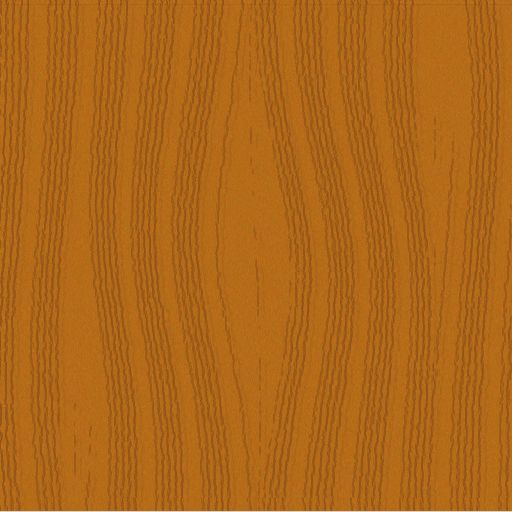
Well this is a start to my entry. Right now its obviously not very flexible but I'm planning on expanding these calculations to accept parameters such as grain density, knot freqency, knot size, texture size, wood scale, and color. I'm not using any specific algorithm, just messing around and seeing what I can come up with.

Code: [Select]
screenres 512,512,32

dim as uinteger seed=&h02D8FAAE

dim as integer offset

randomize seed

dim as integer grain(63)
dim as integer ny(63)
dim as integer lastx(63)
dim as integer xstep
for streak as integer = 0 to 10
    for streakpart as integer = 0 to 5'-int(rnd*3)
        xstep=streak*5+streakpart
        offset = int(rnd*5)-2
        grain(xstep)=streak*50+streakpart*7'xstep*10+offset
        lastx(xstep)=grain(xstep)
        ny(xstep)=0
        '&hC58340
    next
next

const maxdisps=3

dim as integer dispx(maxdisps)
dim as integer dispy(maxdisps)
dim as integer dispm(maxdisps)

dispx(0)=256
dispy(0)=256
dispm(0)=35

dispx(1)=75
dispy(1)=400
dispm(1)=15

dispx(2)=125
dispy(2)=40
dispm(2)=15


dispx(2)=435
dispy(2)=80
dispm(2)=20


const maxd = 512^2 + 512^2

dim as integer tx,ty,td

paint(0,0),&hff00ff
for ystep as integer = 0 to 512
    for xstep as integer = 0 to 51
        if ny(xstep)=ystep then
            offset=int(rnd*3)-1
            lastx(xstep)=offset+grain(xstep)
            ny(xstep)=int(rnd*4)+ystep+2
        end if
        tx=lastx(xstep)
        ty=ystep
       
        for tmp as integer = 0 to ubound(dispx)
            td= (tx-dispx(tmp))^2 + (ty-dispy(tmp))^2
            tx += (1-(td/maxd))^19  *dispm(tmp) * sgn(tx-dispx(tmp))
        next
       
        pset (tx,ty),&h905219'&hC58430
    next
next

dim as any ptr img = imagecreate(512,512,&hff00ff)
dim as any ptr back = imagecreate(512,512,0)
dim as any ptr buffer = imagecreate(512,1,&hff00ff)

get (0,0)-(511,511),img
cls
'paint (0,0),&h956420
for x as integer = 0 to 511
    for y as integer = 0 to 511
        dim as integer c=rgb(&hAC+int(rnd*20),&h65+int(rnd*15),&h17+int(rnd*5))
        for tmpy as integer = -int(rnd*3)-1 to int(rnd*3)+1
        pset back, (x,y+tmpy),c
        next
    next
next
'sleep
for pass as integer = 1 to 10
    for tmpy as integer = 0 to 512
        get back,(0,tmpy)-(511,tmpy),buffer
        put (0,tmpy),buffer,pset'alpha,int(rnd*32)+64
        put (0,tmpy+1),buffer,alpha,int(rnd*32)+64
        put (0,tmpy+2),buffer,alpha,int(rnd*32)+64
        put (0,tmpy+3),buffer,alpha,int(rnd*32)+64
    next
next


line buffer,(0,0)-(511,0),0
for pass as integer = 1 to 10
    for tmpy as integer = 0 to 512
        dim as integer xoff=int(rnd*3)-1
        dim as integer yoff=int(rnd*5)-1
        'get back,(0,tmpy)-(511,tmpy),buffer
        'put (0,tmpy),buffer,pset
        'line buffer,(0,0)-(511,0),0
        get img, (xoff,tmpy+yoff)-(511,tmpy+yoff),buffer
        put (0,tmpy),buffer,alpha,int(rnd*32)+64
    next
next
sleep
for tmp as integer = 1 to 1
    get (0,0)-(511,511),img
    put (int(rnd*10),int(rnd*15)),img,alpha,int(rnd(80))+60
next

imagedestroy back
imagedestroy img
imagedestroy buffer
sleep

result so far:

17
General chat / Re: Gigabytes for free?
« on: August 15, 2007 »
Well cpu's make sense. If there is more of a demand for a slower processor, slow it down. I'm not talking about fpu, just in general. With hard drives its actual physical space you are wasting, not like a processor where you are just under-clocking it.

18
General chat / Re: Gigabytes for free?
« on: August 15, 2007 »
sounds like bs to me...

19
Freebasic / Re: Small Effect
« on: August 12, 2007 »
Hmm, and another one as well

Code: [Select]
const screenx=320
const screeny=240

screenres screenx,screeny,8


randomize 42
dim as ubyte col
screenlock

for tmp as integer = 0 to 127
    palette tmp,tmp*2
    palette 255-tmp,tmp*2
   
next


for tmpx as integer=0 to screenx-1 step 2
    for tmpy as integer = 0 to screeny-1 step 2
        pset(tmpx,tmpy),int(rnd*255)
    next
next
color 250

for tmp as integer = screenx/16 to screenx/16+screenx/32 step 2
    circle (screenx/2,screeny/2),tmp,255
    circle (screenx/2,screeny/2),tmp*2,255
    circle (screenx/2,screeny/2),tmp*3,255
    circle (screenx/2,screeny/2),tmp*4,255   
next

draw string (screenx/2-len("deleter")*4,screeny/2-4),"DELETER",255

screenunlock

'dim as single primary=.3,secondary=.6/4,tertiary=.1/4
dim as single primary=.2,secondary=.3/4,tertiary=.5/4

for loops as integer = 1 to 10
    screenlock
    draw string (screenx/2-len("deleter")*4,screeny/2-4),"DELETER",255
    for tmpx as integer = 1 to screenx-2
        for tmpy as integer = 1 to screeny-2
            col=point(tmpx,tmpy)*primary+point(tmpx-1,tmpy)*secondary+point(tmpx+1,tmpy)*secondary+_
            point(tmpx,tmpy-1)*secondary+point(tmpx,tmpy+1)*secondary+point(tmpx-1,tmpy-1)*tertiary+_
            point(tmpx+1,tmpy-1)*tertiary+point(tmpx-1,tmpy+1)*tertiary+point(tmpx+1,tmpy+1)*tertiary
            pset(tmpx,tmpy),col
        next
    next
    draw string (screenx/2-len("deleter")*4,screeny/2-4),"DELETER",255
    screenunlock
next
sleep
'end
dim as integer tm
do
    tm=int(timer*100)
    for tmp as integer = 0 to 127
        palette tmp, ((tm+tmp) mod 127)*2,0,0
        palette 255-tmp, ((tm+tmp) mod 127)*2,0,0
    next
    sleep 5,1
loop until multikey(1)

20
Freebasic / Small Effect
« on: August 12, 2007 »
I felt bad posting requests here and not giving anything back really, so here is a small graphical effect just using fbgfx. It uses the latest version of fb, so I've included an exe. I'm not really that great at graphics stuff so go easy ;).

http://deleter.phatcode.net/smpfx.rar

Here's the code:

Code: [Select]
'* * * * * * * * * * * * * * * * * * * * * * * * * * * * * * * * * * * * * * * *

'*                             Constants and basic stuff                       *

'* * * * * * * * * * * * * * * * * * * * * * * * * * * * * * * * * * * * * * * *

const sX=640,sY=480
const pi=3.1415926
const numpoints=5

enum see
    cX
    cY
end enum

type coord
    as integer x,y
end type

'* * * * * * * * * * * * * * * * * * * * * * * * * * * * * * * * * * * * * * * *

'*                             Interpolation subs                              *

'* * * * * * * * * * * * * * * * * * * * * * * * * * * * * * * * * * * * * * * *

function LinearInterpolate(pts() as coord,it as double,bla as see) as integer
    if bla=cX then
        return int(pts(0).x*(1-it) + pts(ubound(pts)).x*it)
    else
        return int(pts(0).y*(1-it) + pts(ubound(pts)).y*it)
    end if
end function


function recurvBX(pts() as coord,it as double,s as integer,f as integer) as double
    if f-s=1 then return (1-it)*pts(s).x+it*pts(f).x
    return (1-it)*recurvBX(pts(),it,s,f-1)+it*recurvBX(pts(),it,s+1,f)
end function

function recurvBY(pts() as coord,it as double,s as integer,f as integer) as double
    if f-s=1 then return (1-it)*pts(s).y+it*pts(f).y
    return (1-it)*recurvBY(pts(),it,s,f-1)+it*recurvBY(pts(),it,s+1,f)
end function


function BezierInterpolate(pts() as coord,it as double,bla as see) as integer
    if bla=cX then
        return (1-it)*recurvBX(pts(),it,0,ubound(pts)-1)+_
                   it*recurvBX(pts(),it,1,ubound(pts))
    else
        return (1-it)*recurvBY(pts(),it,0,ubound(pts)-1)+_
                   it*recurvBY(pts(),it,1,ubound(pts))
    end if
end function


'* * * * * * * * * * * * * * * * * * * * * * * * * * * * * * * * * * * * * * * *

'*                          Sprite Chain code                                  *

'* * * * * * * * * * * * * * * * * * * * * * * * * * * * * * * * * * * * * * * *


type SpriteChain
    private:
        as integer numlinks
        as double across,myval
        as double rawval,rv2
       
    public:
        declare constructor(numlinks as integer)
        declare destructor()
       
        declare sub Display()
        declare sub Update(tm as double)
       
        dim iop as function(c() as coord,ival as double,c as see) as integer
        as coord pts(numpoints)
end type

constructor SpriteChain(numlinks as integer)
    this.numlinks=numlinks
    across=0
    rawval=-pi/2
end constructor

destructor SpriteChain()
end destructor

sub SpriteChain.Display()
    dim as integer x,y',lx=pts(0).x,ly=pts(0).y
    dim as double across=this.across,add
    if across>1 then across=1-(this.across-1)
    if this.across>1 then add=this.across-1
    for tmp as double = 1/numlinks to .99 step 1/numlinks
        x=iop(pts(),tmp*across+add,cX)
        y=iop(pts(),tmp*across+add,cY)
        x=sX/2+abs(sX/2-x)*(myval)*sgn(x)
        y=sY/2+abs(sY/2-y)*(myval)*sgn(x)
        circle(x,y),13,&h00006f,,,,f
        circle(x,y),10,&h00008f,,,,f
        circle(x,y),7,&h0000af,,,,f       
        circle(x,y),4,&h0000cf,,,,f
       
        circle(y*4/3,x*3/4),13,&h00006f,,,,f
        circle(y*4/3,x*3/4),10,&h00008f,,,,f
        circle(y*4/3,x*3/4),7,&h0000af,,,,f       
        circle(y*4/3,x*3/4),4,&h0000cf,,,,f
       
        circle(sX-x,y),13,&h00006f,,,,f
        circle(sX-x,y),10,&h00008f,,,,f
        circle(sX-x,y),7,&h0000af,,,,f
        circle(sX-x,y),4,&h0000cf,,,,f
       
       
        circle(sX-y*4/3,x*3/4),13,&h00006f,,,,f
        circle(sX-y*4/3,x*3/4),10,&h00008f,,,,f
        circle(sX-y*4/3,x*3/4),7,&h0000af,,,,f
        circle(sX-y*4/3,x*3/4),4,&h0000cf,,,,f


        circle(x,sY-y),13,&h00006f,,,,f
        circle(x,sY-y),10,&h00008f,,,,f
        circle(x,sY-y),7,&h0000af,,,,f       
        circle(x,sY-y),4,&h0000cf,,,,f
       
        circle(y*4/3,sY-x*3/4),13,&h00006f,,,,f
        circle(y*4/3,sY-x*3/4),10,&h00008f,,,,f
        circle(y*4/3,sY-x*3/4),7,&h0000af,,,,f       
        circle(y*4/3,sY-x*3/4),4,&h0000cf,,,,f
       
        circle(sX-x,sY-y),13,&h00006f,,,,f
        circle(sX-x,sY-y),10,&h00008f,,,,f
        circle(sX-x,sY-y),7,&h0000af,,,,f
        circle(sX-x,sY-y),4,&h0000cf,,,,f
       
       
        circle(sX-y*4/3,sY-x*3/4),13,&h00006f,,,,f
        circle(sX-y*4/3,sY-x*3/4),10,&h00008f,,,,f
        circle(sX-y*4/3,sY-x*3/4),7,&h0000af,,,,f
        circle(sX-y*4/3,sY-x*3/4),4,&h0000cf,,,,f
       
     next
   
    for tmp as integer = 0 to ubound(pts)
        circle (pts(tmp).x,pts(tmp).y),3,&h00ff00
    next
end sub

sub SpriteChain.Update(tm as double)
    rawval+=tm*pi
    rv2+=tm*pi/2'/4
    across=sin(rawval)+1
    myval=1-((sin(rv2)+1)/2)^3
end sub

'* * * * * * * * * * * * * * * * * * * * * * * * * * * * * * * * * * * * * * * *

'*                                   Main Code                                 *

'* * * * * * * * * * * * * * * * * * * * * * * * * * * * * * * * * * * * * * * *


dim as SpriteChain sc=SpriteChain(30)

'set up a test path
sc.pts(0).x=20
sc.pts(0).y=20

sc.pts(1).x=125
sc.pts(1).y=350

sc.pts(2).x=250
sc.pts(2).y=80

sc.pts(3).x=375
sc.pts(3).y=450

sc.pts(4).x=500
sc.pts(4).y=120

sc.pts(5).x=600
sc.pts(5).y=480

sc.iop=@LinearInterpolate
'sc.iop=@BezierInterpolate

screenres 640,480,8

dim as double myrawval,myval
dim as double tm=timer
dim as double stm=timer
do
   
    tm=timer-tm
    myrawval+=tm*17
    myval=((cos(myrawval)+1)/2)
    for tmp as integer = 0 to 255
        palette tmp,0,tmp*(1-myval),tmp*myval
    next

    sc.Update(tm)
    tm=timer
   
    if timer-stm> 1*4.5*2 then sc.iop=@BezierInterpolate'-pi/2+pi*2*2
           
   
    screenlock
    cls
    sc.Display()
    screenunlock
    sleep 5,1
loop until multikey(1)
sleep

Pages: [1] 2